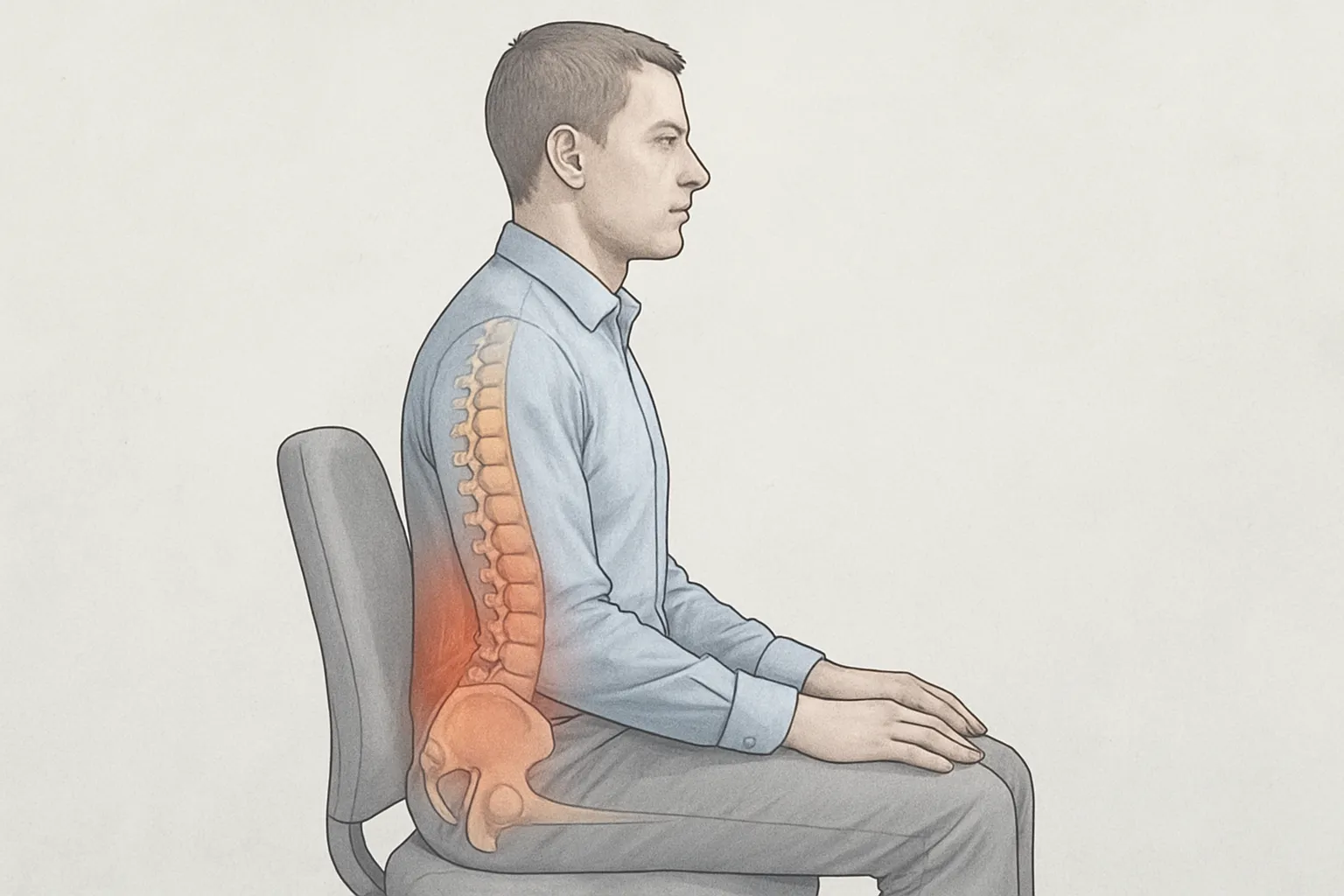
Postural differences between face-to-face and telework: what changes in body alignment?
In face-to-face work environments, the workstation is often more standardised (adjustable chair, eye-level monitor, separate peripherals), which facilitates a more efficient and efficient neutral alignment if properly adjusted. In teleworking it is common to use laptops on high tables or sofas, improvised supports and less height control, which tends to increase postural variability. This difference in equipment alone does not determine good or bad posture, but it does condition the starting point and the scope for fine-tuning.
In teleworking with a laptop without elevation, it is common to have a higher cervical flexion and head-forward to read a low or small screen, with increasing thoracic kyphosis y shoulder protraction. Soft support or a chair that is not stable may encourage pelvic retroversion and reduction of lumbar lordosis, While in a chair and table adjusted workstation, it is more likely to keep the hips and spine in neutral ranges. Tall keyboards or long touchpads increase wrist extension and ulnar deviation; a separate keyboard and mouse usually allow angles closer to neutral. The screen height and viewing distance influence head tilt and eye strain, modifying neck and trunk alignment.
The pattern of activity also changes the alignment throughout the day. In face-to-face work there tends to be more incidental movement (short commutes, face-to-face meetings), which introduces periodic postural variations; in teleworking there can be more positions held if breaks are not planned, which prolongs loads on the neck, shoulder girdle and lower back. Environmental factors such as glare or camera angle in video calls can induce head tilt or rotation to better view the screen, while headsets reduce the need to hold the phone between shoulder and ear, a practice that accentuates lateral cervical tilt.
How furniture and environment influence posture: traditional office vs. teleworking
Traditional office: standardisation and adjustments
In corporate environments it is common to have adjustable chairs, armrests and external monitors, which facilitates a more efficient use of space. neutral alignment if used ergonomic adjustments (seat height, lumbar support, seat depth), screen height). This standardisation tends to distribute the load more predictably between the spine, hips and shoulder girdle. However, fixed workstations may favour prolonged static postures and a lesser postural variability, This increases sustained muscle demand, especially in the neck and lower back, if tasks are not alternated or breaks are not scheduled.
Teleworking: heterogeneity and job adaptation
At home, it is common to improvise the workstation (dining room chairs, sofas or low tables) and the intensive use of laptops without peripherals. This is associated with greater cervical and dorsal flexion, forearms without stable support and less neutral wrist angles, especially when the screen is low or the keyboard is raised above the elbows. The diversity of spaces allows the environment to be adjusted when resources are available (lumbar support, external keyboard and mouse, risers), but the absence of specific furniture increases uncontrolled postural variability and tissue loading if forced positions are maintained for long periods.
Environmental factors modulating posture
Lighting, glare and reflections influence the viewing distance and may induce head forward; noise and temperature influence muscle tension and willingness to move; the space available determines the positioning of legs and supports. In both office and telework, small variations in workstation organisation (arrangement of the monitor in the visual field, accessibility of peripherals, stable support surfaces) and in habits (alternation of tasks, brief changes of position) are related to less sustained mechanical strain on the neck, shoulders and lower back, without implying guaranteed clinical results.
Musculoskeletal symptoms that can occur in face-to-face work and teleworking, and how they differ
Common symptoms in both settings
Prolonged screen-based activities or repetitive tasks can lead to discomfort due to overloading and sustained postures:
- Cervical pain y lumbago, with a feeling of stiffness on initiation of movement after periods of immobility.
- Shoulder tension and scapular region, sometimes with tender points on palpation.
- Discomfort in forearms, wrists and hands by repeated keyboard/mouse use or prolonged support.
- Tension headache linked to the cervical and pericranial musculature.
- Feeling of muscle fatigue in the legs due to sitting or standing upright.
Particularities of teleworking
Laptops and makeshift surfaces are often used in the home, which can be conducive to sustained cervical flexion y shoulder elevation; The pain in the neck and shoulder girdle tends to predominate. The prolonged sitting with fewer structured breaks is associated with greater lumbar, hip and hamstring stiffness, and discomfort in the gluteal region due to continued pressure. The use of compact keyboards and trackpads can increase the overload on wrist and thumb. In confined spaces, the reduced postural variability favours a feeling of generalised stiffness at the end of the day.
Particularities of face-to-face work
In offices with fixed equipment, higher monitors can reduce marked cervical flexion, but it is common to concentrate the load in the office. forearm y doll pain due to intensive use of the mouse, as well as interscapular pain due to fixed posture in front of the screen. When the job requires standing or internal displacements, discomfort in feet, knees and hips by repeated standing or short walks. In tasks that involve occasional handling of loads or files, discomfort may be accentuated in shoulder y lumbar region by point stresses.
Breaks, movement and sitting time: postural contrasts between face-to-face and remote working time
Pauses and micro-interruptions
In the face-to-face session, there are usually spontaneous pauses linked to the environment: moving to a room, getting up for quick consultations or walking to shared equipment. These short interruptions naturally fragment sitting. In the remote day, self-management of time and sequencing of video calls can reduce these opportunities for movement, favouring continuous blocks of work. The frequency and pattern of breaks depends on the type of task, the level of demand and the stimuli of the physical environment.
Associated displacements and posture changes
The displacements home-work and within the office introduce light activity and postural transitions (walking, climbing stairs, carrying objects), adding mechanical variety to the day. In remote work, as these transitions disappear, this basal dose of incidental movement decreases. If not compensated by daily activities at home, the continuity of sedentary time may increase, with less alternation between sitting, standing and walking.
Sitting time and postural variability
In face-to-face environments, it is often observed that there is a greater postural variability by the combination of face-to-face interactions and internal tours, which disrupt the sitting time. In the remote day there is an increased risk of prolonged sitting screen, especially when the work requires sustained concentration and back-to-back meetings. Actual exposure depends on individual and contextual factors: available ergonomics, autonomy to organise tasks, cognitive demands and bodily signals of discomfort, which tend to modulate the need to change posture.
Prudent ergonomic measures to reduce postural loads in the office and teleworking
Adjustment of the workstation
- Chair: height that allows feet to be supported; if not, footrest. Hips slightly above the hips and hips slightly above the knees. lumbar support smooth in the natural curve. Armrests at a height that keeps shoulders relaxed.
- Table, keyboard and mouse: elbows ~90-100° with forearms supported. Keyboard flat or with slight negative inclination and neutral dolls; Mouse close and at the same level. A compact keyboard can bring the mouse closer and decrease lateral reaches.
- Screen: upper edge at eye level or slightly below, at approximately arm's length, centred to avoid neck rotation.
- Laptop: raise it as a monitor and use external peripherals where possible; working alone with laptop under for prolonged periods tends to increase cervical flexion.
- Telephone: headset for prolonged calls so as not to hold it between shoulder and head.
Pauses, variability and dosage
- Enter micro-pauses short (30-120 s) every 30-45 min to change posture and comfortably move neck, shoulders, hands and spine.
- Alternate tasks (typing, reading, meetings) to modify the static load and distribute the demand over different body regions.
- Make regular postural changes: sitting, standing and walking briefly. The variability of movement is often more relevant than maintaining a “perfect posture” continuously.
- Smooth mobility without pain: comfortable and controlled stretching, adjusting keyboard or mouse time if fatigue or discomfort occurs.
Environment and organisation of space
- Uniform and glare-free lighting to avoid bringing the trunk forward towards the screen.
- Frequently used objects within close reach to reduce repetitive turning and reaching; documents on a lectern aligned with the screen when frequently consulted.
- Free space for the legs; avoid sustained pressure on the back of the thighs and crossing the legs for long periods if this causes discomfort.
- Stable surfaces to support the forearms and footwear that provides firm plantar support if standing at intervals.
- Observation of early signs of fatigue (tension, tingling, stiffness) in order to make gradual adjustments to the job or time organisation.